Style guide and GitHub Pages setup
This guide explains how this template repository enforces the Google developer documentation style guide by using Vale, and how to configure, verify, and publish the documentation site to GitHub Pages with MkDocs Material.
Enforce developer prose style with Vale
All Markdown documentation in this repository—including README.md, AGENTS.md, CLAUDE.md, GEMINI.md, and every page under docs/—is checked by Vale using the official Google style package.
Install and synchronize Vale
Install the Vale command-line tool on your workstation and download the configured style package into .vale/styles:
# macOS (Homebrew)
brew install vale

# Synchronize the Google style package declared in .vale.ini
vale sync
Run the linter across all tracked documentation files before committing:
If you use just, run just vale to synchronize styles and lint every file in one command.
Understand .vale.ini configuration
The root .vale.ini file controls how Vale discovers styles and which files it checks:
StylesPath = .vale/styles
MinAlertLevel = warning
Packages = Google

[README.md]
BasedOnStyles = Google

[AGENTS.md]
BasedOnStyles = Google

[CLAUDE.md]
BasedOnStyles = Google

[GEMINI.md]
BasedOnStyles = Google

[docs/*.md]
BasedOnStyles = Google
StylesPath = .vale/styleskeeps downloaded style rules inside the repository workspace (ignored by Git in.gitignoreso only.vale.iniis tracked).MinAlertLevel = warningfails verification when Vale detects eitherwarningorerroralerts.- Explicit file sections ensure every root AI harness guide and every page in
docs/is validated underBasedOnStyles = Google.
Core prose rules enforced by Vale
Follow these writing rules to pass Vale checks on the first run:
| Rule | Requirement | Avoid | Prefer |
|---|---|---|---|
Google.Headings |
Use sentence case for all headings. Capitalize only the first word or place technical proper nouns in backticks (Cloudflare, Workers, KV, Rust, GitHub, Vale, Google, Antigravity, Claude, Codex, Gemini, OAuth 2.0, Wasm). |
## Model Routing Policy And Setup |
## Model routing policy and setup |
Google.We and Google.FirstPerson |
Address the reader in the second person (you) or use imperative verbs. Never use first-person pronouns. |
We store state in KV so our Worker starts fast. |
Store state in KV so the Worker starts fast. |
Google.Passive |
Use active voice where the actor performs the action directly. | The state bundle is cached by the isolate. |
The isolate caches the state bundle. |
Google.Will |
Use present tense for deterministic behavior rather than future tense. | The endpoint will return HTTP 401. |
The endpoint returns HTTP 401. |
Google.Latin |
Write out English equivalents instead of Latin abbreviations. | e.g., i.e., etc., vs. |
for example, that is, and so on, versus |
Google.WordList |
Use clear, inclusive terminology from the Google word list. | via, CLI, UI, abort, kill, whitelist/blacklist, master/slave |
by using or through, command-line tool, user interface or web interface, stop or cancel, allowlist/blocklist, main/replica |
Google.Acronyms |
Spell out unfamiliar uppercase acronyms on first use or format technical tokens as inline code. | Set the TTL on the KV key. |
Set the time to live (TTL) on the KV key. or Set the `TTL` on the `KV` key. |
Google.Exclamation |
Never use exclamation marks in prose outside code blocks. | Deploy succeeded! |
The deployment succeeded. |
Scoped rule overrides for literal identifiers
When a page must name a legacy external identifier or quotation that triggers Google.WordList, wrap only the affected lines in scoped Vale comments and immediately re-enable the rule:
<!-- vale Google.WordList = NO -->
- Decommissions legacy control nodes (`spot-control-a` and `spot-control-b`).
<!-- vale Google.WordList = YES -->
Never turn off BasedOnStyles = Google for an entire file.
Checklist for adding a new documentation page
Whenever you add a new Markdown file to the repository:
- Register its path in
.vale.iniunderBasedOnStyles = Google. - Add the page to the
nav:hierarchy inmkdocs.ymlif it belongs to the documentation site. - Add a matching
!allowlist entry in.gitignoreif the file sits at the repository root. - Run
valeandmkdocs build --strictto confirm zero prose alerts and zero broken links.
Set up GitHub Pages with MkDocs Material
The documentation site in docs/ is built with MkDocs Material and published to GitHub Pages by .github/workflows/docs.yml.
Step 1 for configuring repository settings on GitHub
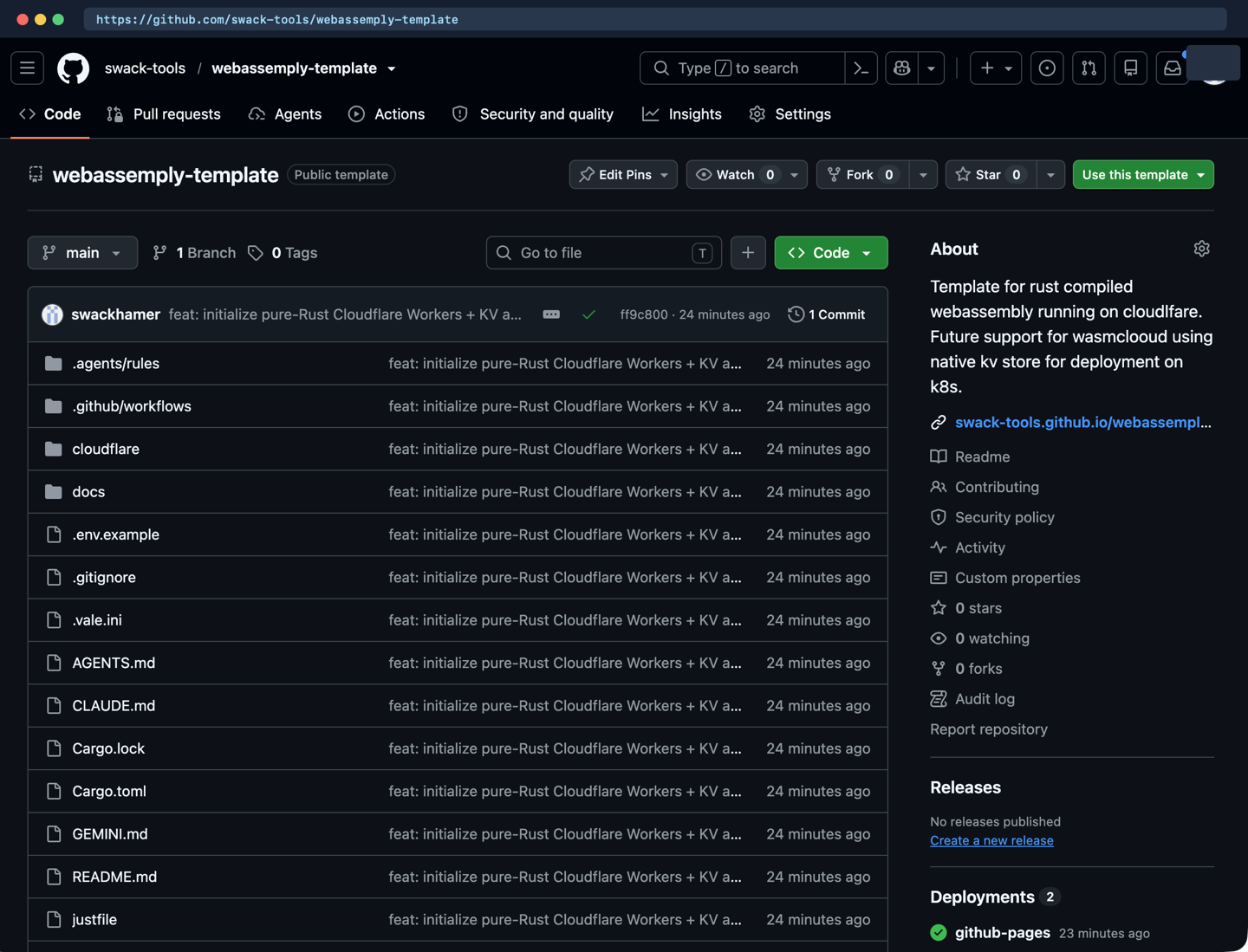
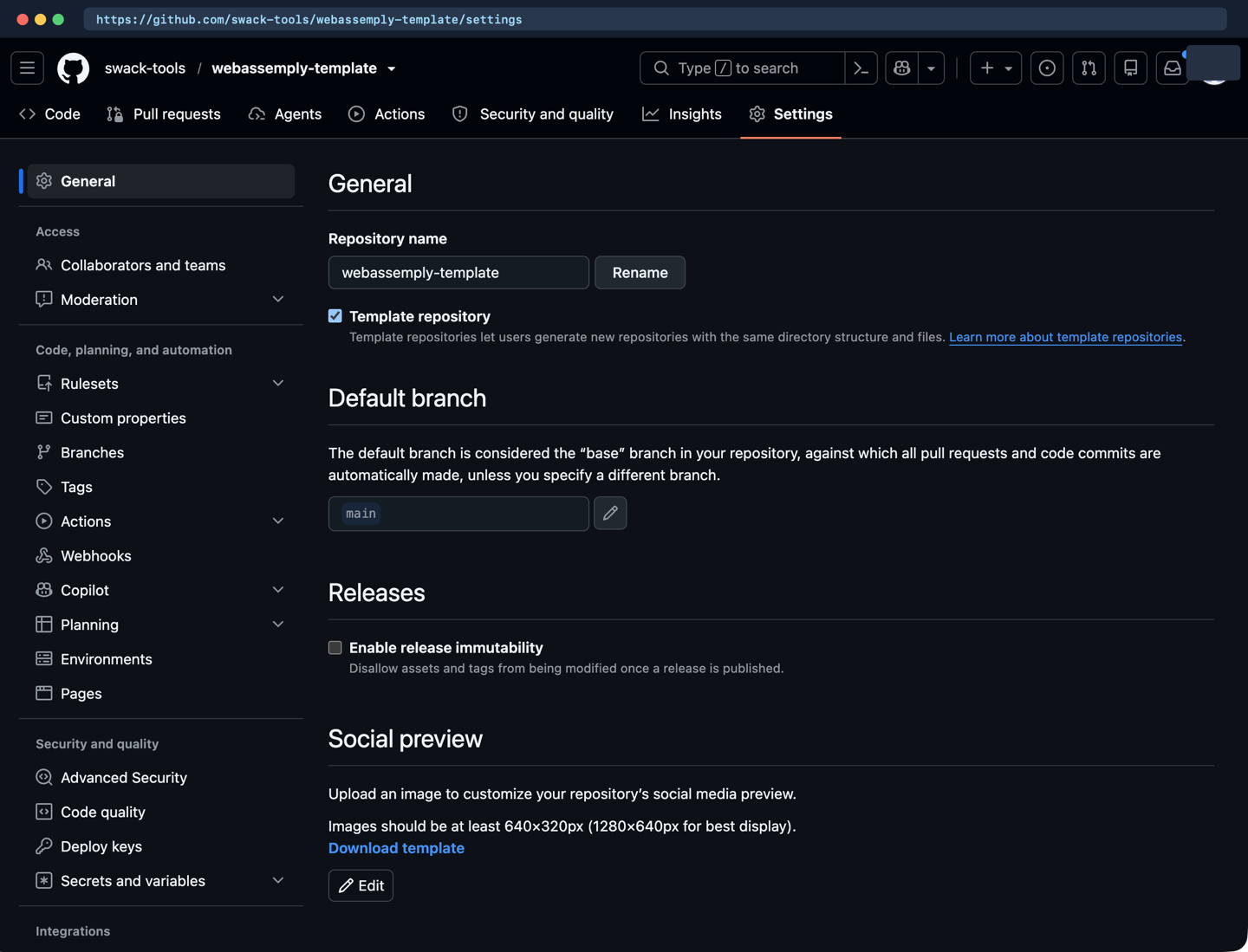
To allow operators to bootstrap new projects from this repository with one click, open Settings > General on GitHub and enable Template repository. Once enabled, the repository displays the Public template badge and the Use this template button on its main page:
When you create a new repository from this template, enable GitHub Actions deployment for GitHub Pages:
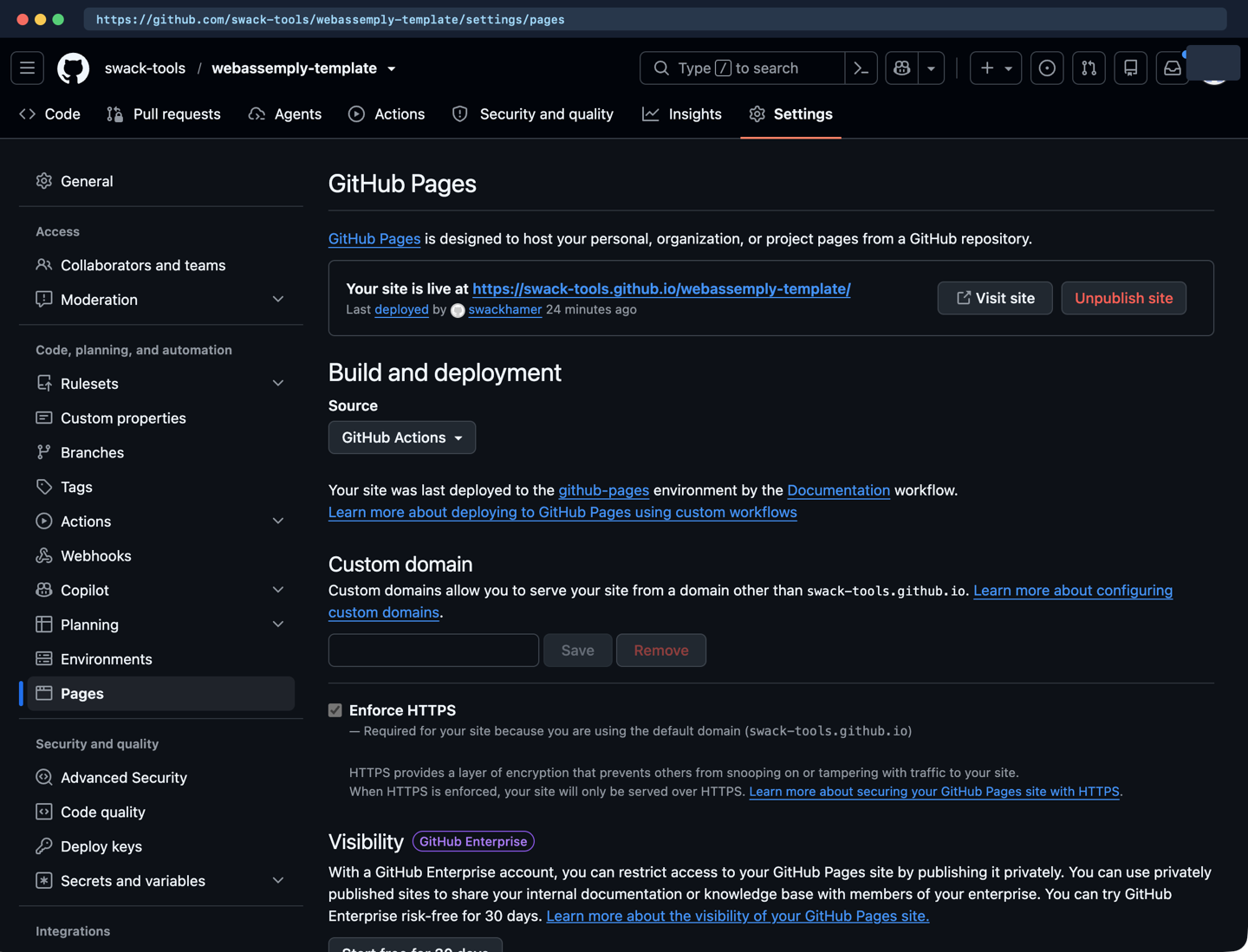
- Open your repository on GitHub and navigate to Settings > Pages.
- Set Build and deployment > Source to GitHub Actions and select Enforce HTTPS.
- Navigate to Settings > Environments and select the
github-pagesenvironment. - Restrict Deployment branches and tags to the
mainbranch so pull request builds cannot publish to production Pages.
Or configure GitHub Pages from the command line with gh:
Step 2 for configuring mkdocs.yml strict validation
The root mkdocs.yml file configures MkDocs Material with strict link, anchor, and navigation validation:
- Dynamic
site_urlresolution:site_url: !ENV [SITE_URL, null]reads theSITE_URLenvironment variable exported byactions/configure-pagesduring CI builds while allowing localmkdocs build --strictruns to succeed without settingSITE_URL. - Strict mode (
strict: true): promotes any warning—such as a broken relative link, missing anchor target, or unlisted Markdown file indocs/—into a build failure. - Offline-friendly privacy (
font: false): prevents the generated site from fetching external fonts at page load time. - Mermaid diagrams (
pymdownx.superfences): renders fencedmermaidcode blocks into architecture and sequence diagrams.
Step 3 for pinning build dependencies in docs/requirements.txt
The Worker runtime is 100% pure Rust (cloudflare/). Python is used exclusively at documentation build time to run MkDocs. docs/requirements.txt pins mkdocs, mkdocs-material, pymdown-extensions, and their transitive dependencies to exact versions so local builds and GitHub Actions runs produce identical output.
To build and preview the site locally outside your Git checkout:
python3 -m venv "$HOME/.cache/cf-kv-docs-venv"
"$HOME/.cache/cf-kv-docs-venv/bin/pip" install --disable-pip-version-check --quiet \
  --requirement docs/requirements.txt

# Run a strict verification build
"$HOME/.cache/cf-kv-docs-venv/bin/mkdocs" build --strict --site-dir "$HOME/.cache/cf-kv-docs-site"

# Or serve locally with live reload at http://127.0.0.1:8000
"$HOME/.cache/cf-kv-docs-venv/bin/mkdocs" serve
Step 4 for automating publishing with .github/workflows/docs.yml
The .github/workflows/docs.yml workflow implements a hardened two-job pipeline:
- Trigger and concurrency rules:
- Runs on pushes and pull requests that modify
docs/**,mkdocs.yml,README.md, or.github/workflows/docs.yml, and supports manualworkflow_dispatch. - Uses
concurrency: group: docs-${{ github.ref }}withcancel-in-progress: ${{ github.event_name == 'pull_request' }}. Superseded pull request builds cancel immediately to save runner minutes, whilemainbranch deployments queue cleanly so an active Pages rollout is never interrupted mid-publish. - Build job (
build): - Checks out the repository with
persist-credentials: false. - Runs Vale prose linting across
README.md,AGENTS.md,CLAUDE.md,GEMINI.md, anddocs/*.md. - Installs
docs/requirements.txtin an ephemeral virtual environment under${RUNNER_TEMP}/docs-venvand runsmkdocs build --strict --site-dir site. - On non-pull-request runs, uploads the compiled
site/directory usingactions/upload-pages-artifact. - Deploy job (
deploy): - Runs only when
github.event_name != 'pull_request' && github.ref == 'refs/heads/main'. - Requests
pages: writeandid-token: writepermissions scoped to thegithub-pagesenvironment and publishes the artifact withactions/deploy-pages. - Commit-
SHAaction pinning: - Every GitHub Action in
.github/workflows/docs.yml(actions/checkout,actions/configure-pages,actions/upload-pages-artifact, andactions/deploy-pages) is pinned to an immutable 40-character commitSHArather than a mutable tag.
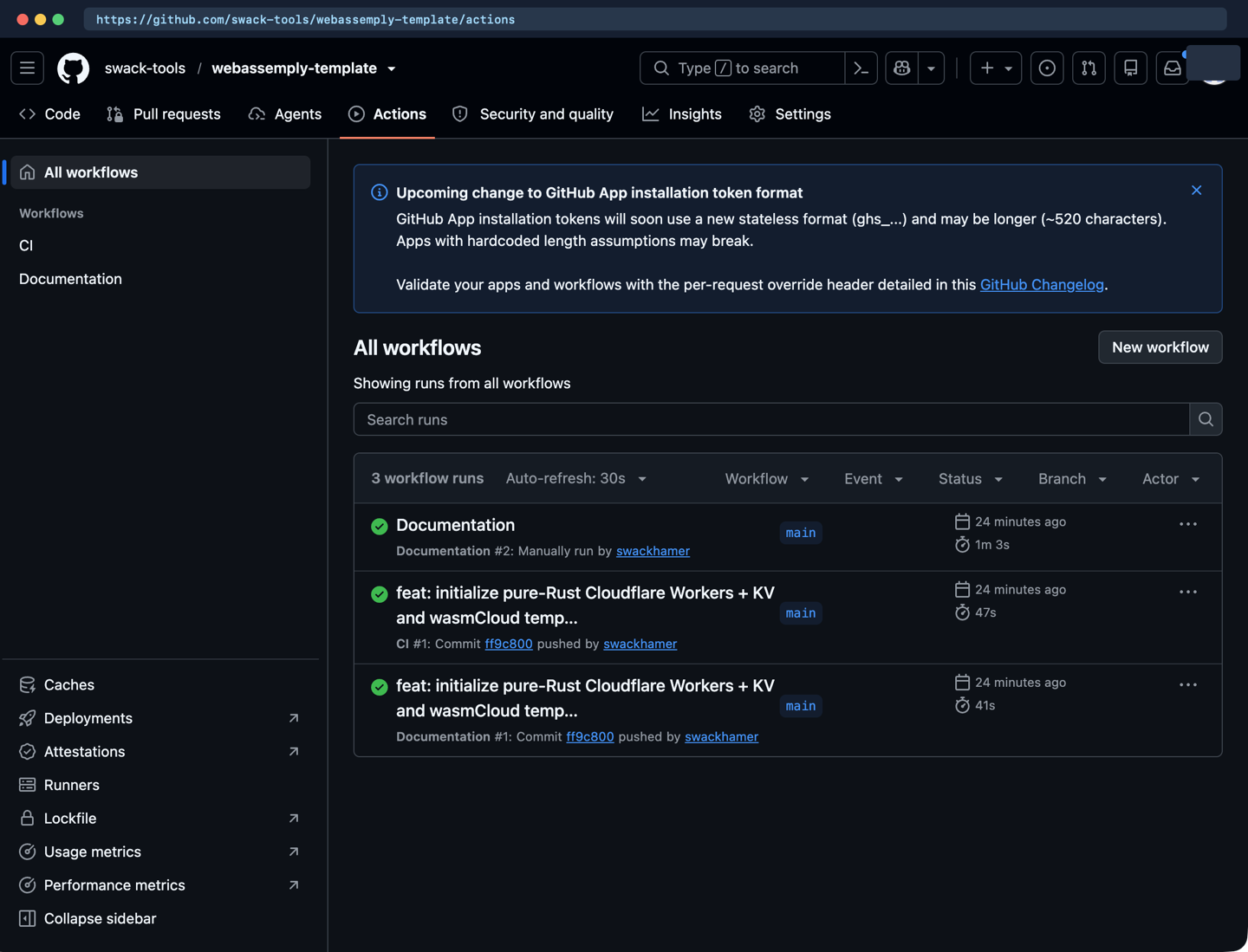
Open the Actions tab on GitHub to verify that both the CI workflow (Rust tests and Vale prose checks) and the Documentation workflow complete with green checkmarks:
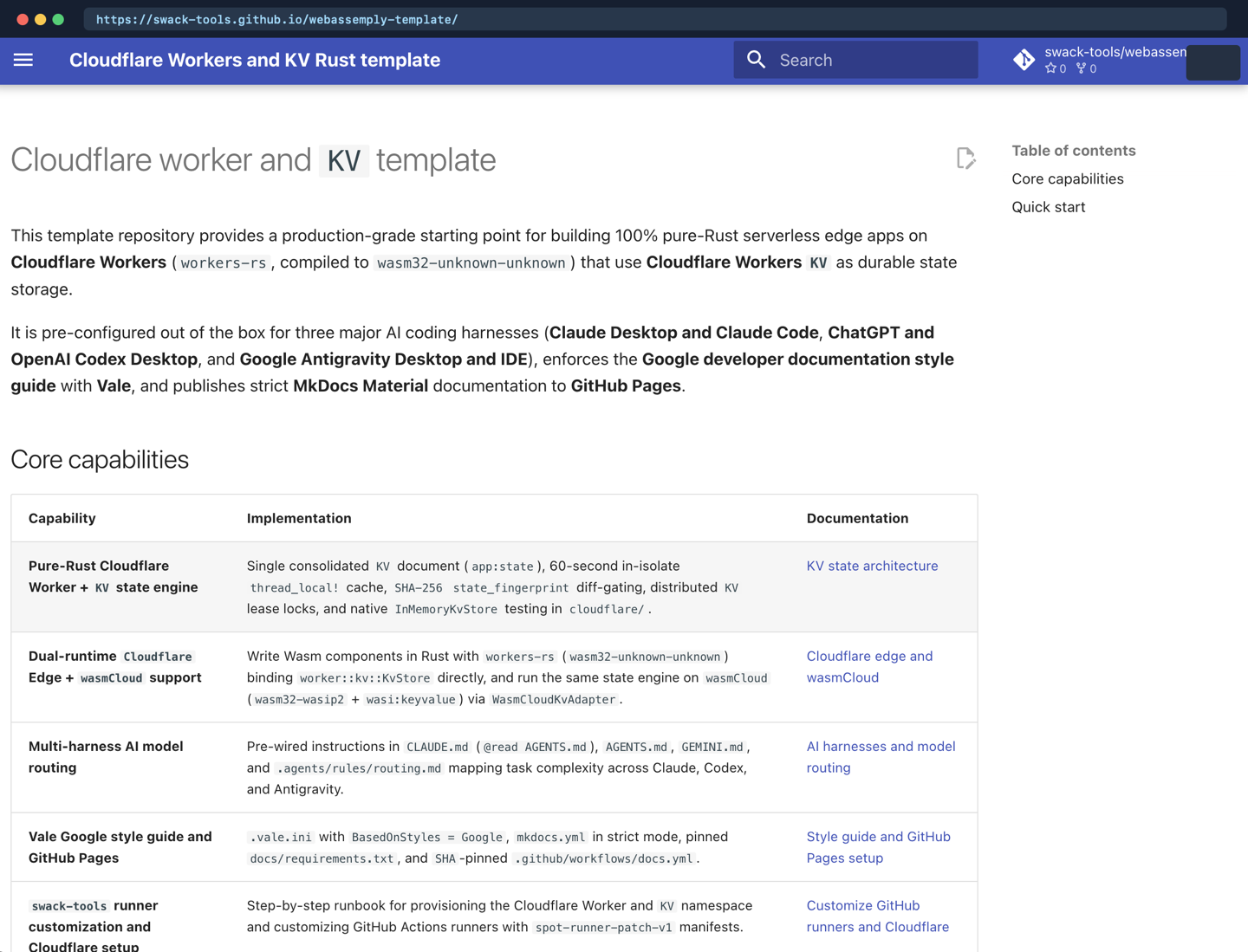
Once the Documentation workflow finishes, visit https://swack-tools.github.io/webassemply-template/ (or your repository's Pages URL) to browse the published MkDocs Material site:
Step 5 for keeping public GitHub Pages content free of secrets
GitHub Pages sites are often publicly readable even when an organization restricts infrastructure access. Follow these redaction rules across all files in docs/:
- Describe the architecture, state schemas, security model, and command-line tool syntax openly.
- Never commit real Cloudflare account IDs,
KVnamespace IDs, GitHub OAuth 2.0 client secrets, GCP project IDs, runner group IDs, private origin hostnames, or bearer tokens. - Use explicit placeholders such as
REPLACE_WITH_KV_NAMESPACE_ID,your-cloudflare-account-id,your-gcp-project-id, andswack-tools/your-repo.